
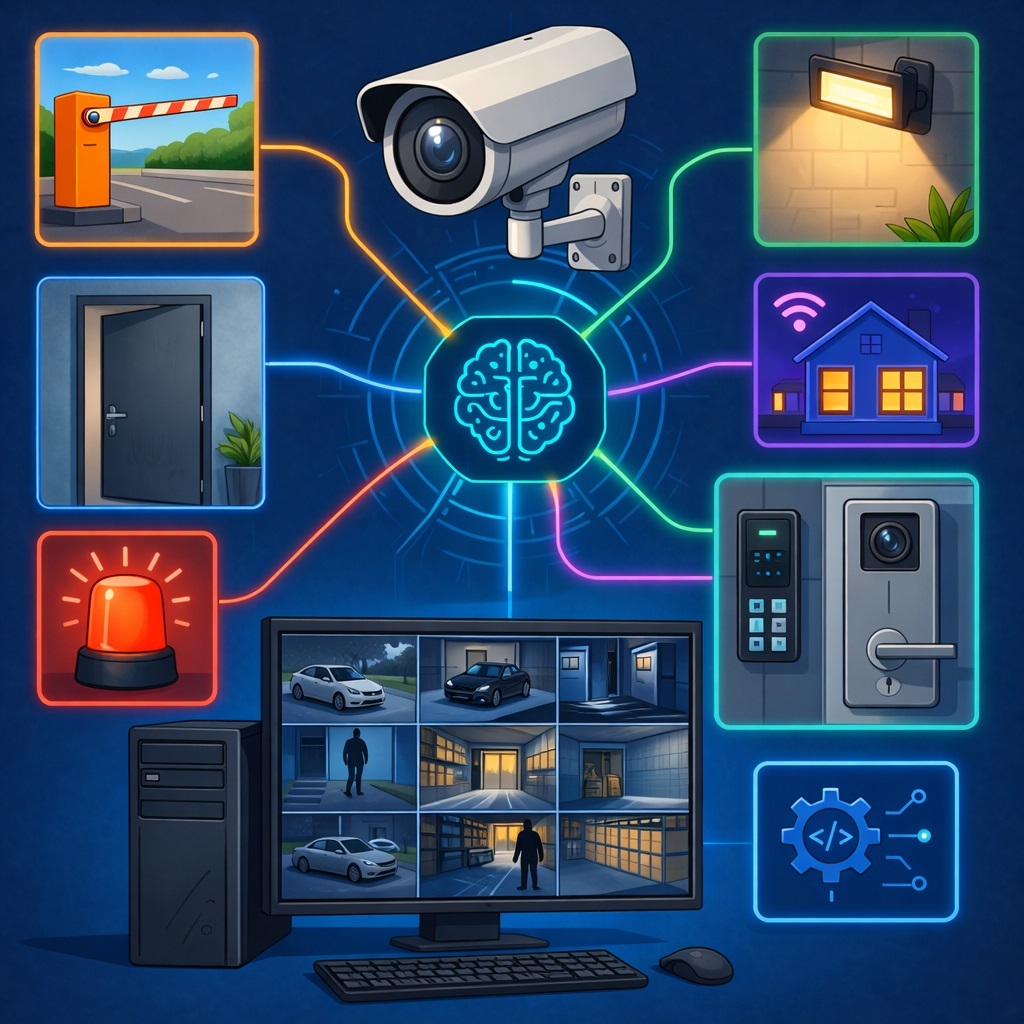
Now the video surveillance system can not only detect events, but also automatically perform actions based on predefined rules: open doors and barriers, turn on lighting and alarms, launch external programs, and send commands to access control systems, smart home platforms, and other connected solutions.
Integration Module for External Devices
The integration module in SmartVision is designed to connect the video surveillance system with external devices and services. It allows the system to automatically perform actions when specific events occur: open doors and barriers, turn on a siren or lighting, launch external programs, send commands to access control systems, smart home platforms, security services, and other connected solutions. In other words, SmartVision does not just detect an event, it can also react to it immediately.
How It Works
In the settings of each camera, there is a separate section for actions. This section displays a list of ready-made conditions for which an automatic response can be configured. For example, you can define what should happen if the system recognizes a vehicle from the allow list, detects a face from the block list, or identifies smoke or fire.
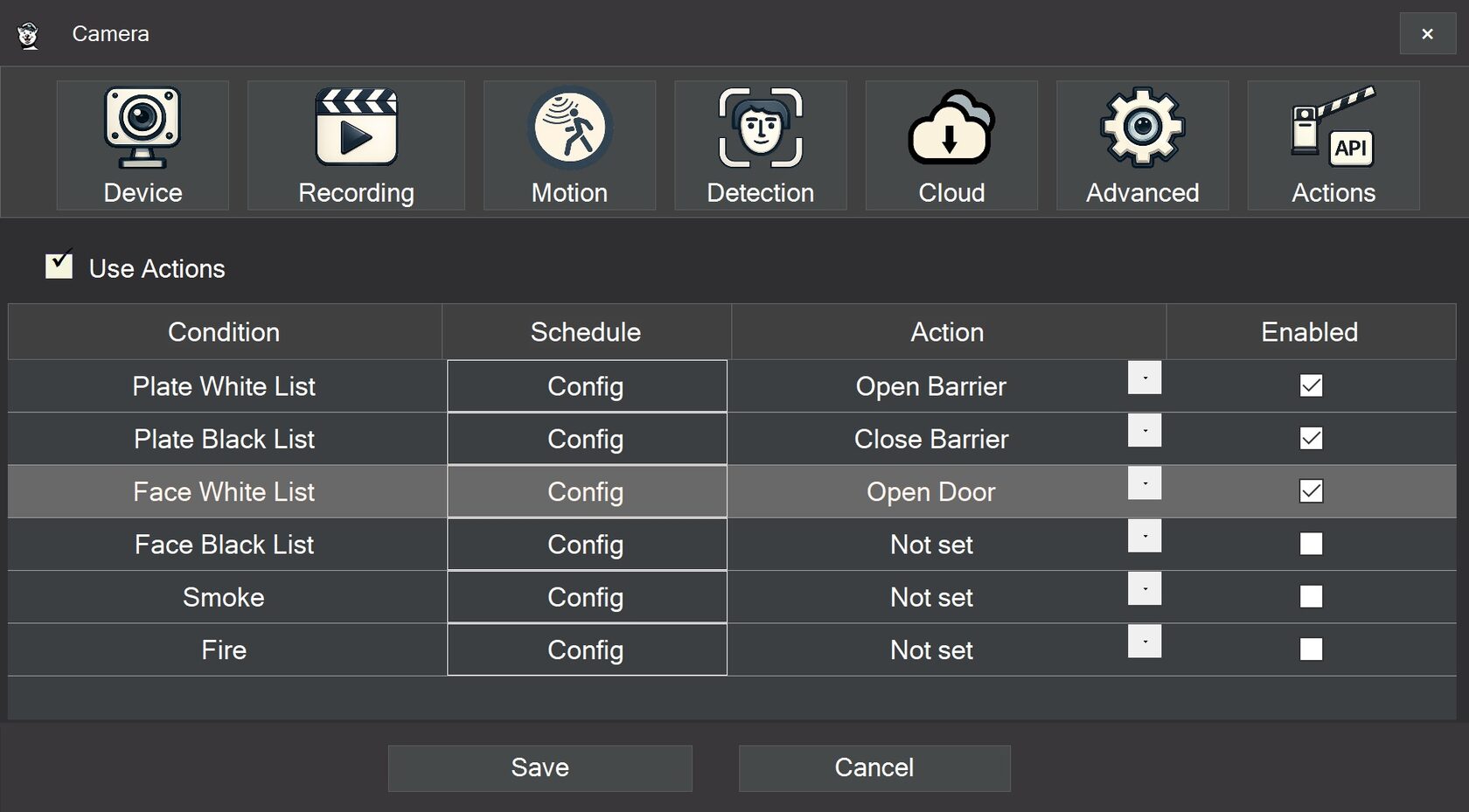
For each condition, the user can select the required action, define a schedule, and turn the rule on or off. This makes the setup clear and easy to follow: one condition, one action, one expected result.
Safe Setup Principle
By default, the rules are created in advance but remain inactive until the user selects an action and enables them. This is done for safety. The system will not execute commands automatically until the operator explicitly completes the setup.
This approach reduces the risk of accidental activations and makes deployment more controlled and predictable. Which is exactly how it should be, because a barrier opening on its own is less automation and more paperwork.
Action Configuration
All available actions are configured in the general program settings. The user can create custom commands for different scenarios: open a barrier, unlock a door, activate an alarm, run an external script, send a command to a controller, or notify another system.
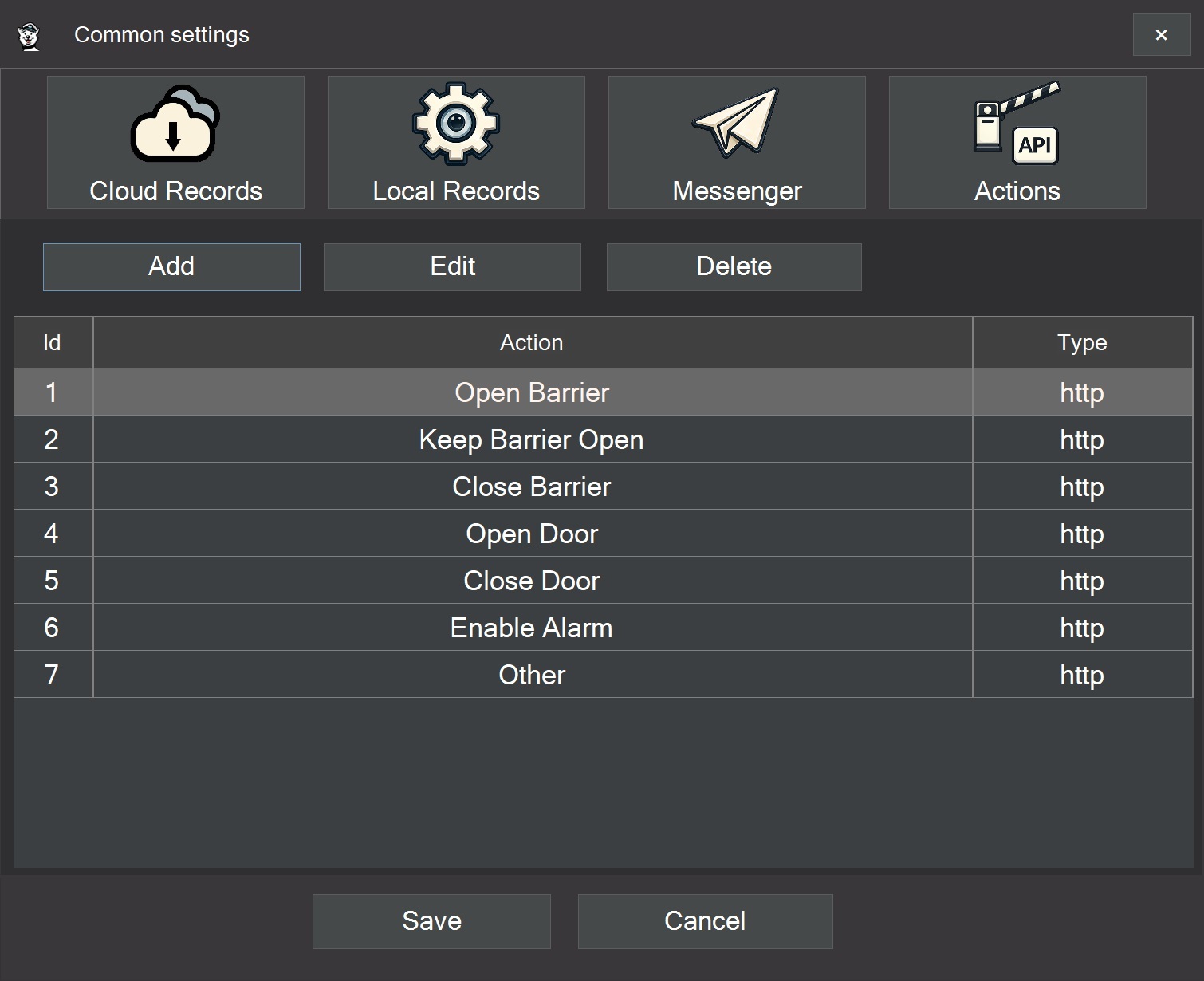
For each command, it is possible to define the target address, the request method, authentication parameters, additional request data, response timeout, and the number of retry attempts. This makes it possible to connect both simple devices with a single command and more advanced external services with full data exchange.
Basic and Advanced Scenarios
The module supports both basic integrations and more flexible automation scenarios. In the simplest case, you can configure a standard action such as opening a barrier once and then assign it to the required cameras.
In more advanced scenarios, the system can pass event-related data to an external platform, such as which camera generated the event, when it happened, which vehicle plate was recognized, who appeared in the frame, and how confident the analytics result was. This is especially useful when integrating with third-party access control, security, warehouse, dispatch, and other business systems.
Protection Against Repeated Triggers
To avoid unnecessary repeats, the module includes protection against overly frequent activations. For example, if the same vehicle is recognized multiple times in consecutive frames, the barrier open command will not be sent endlessly.
The user can define a pause between repeated actions. This helps protect external devices from unnecessary load and makes system behavior more stable. This mechanism is especially important for doors, gates, barriers, sirens, relays, and remote services.
Testing and Operational Control
For easier setup, action testing is highly useful. It allows the user to verify that an integration works correctly before waiting for a real event.
An execution history is also important. It shows when a command was triggered and whether it was completed successfully. For troubleshooting and technical support, this is especially helpful because it quickly shows whether the issue is in the event itself, in the configuration, or already on the side of the external device.
Example Use Cases
In practice, the integration module supports a wide range of scenarios. In access control, it can unlock a door for an employee based on face recognition or a recognized vehicle plate. In parking scenarios, it can raise a barrier for vehicles from an approved list. In warehouses or industrial facilities, it can activate a warning if equipment enters a restricted area.
In a home or office environment, the module can turn on lights, open a gate, send a notification to the owner, or start two-way audio. When smoke, fire, a fight, suspicious noise, a fallen person, or another critical event is detected, the system can raise an alarm, start recording, save the incident, and notify responsible staff.
The integration module turns SmartVision from a passive monitoring system into an active response tool. It helps transform analytics events into real actions on site.
The camera sees, the system understands, and SmartVision responds.