
Version 6.1 has been released with a major performance update: automatic GPU acceleration for video analytics. The new version can switch recognition modules to GPU mode when the required NVIDIA components are available, allowing the system to process video streams faster and handle demanding AI tasks more efficiently.
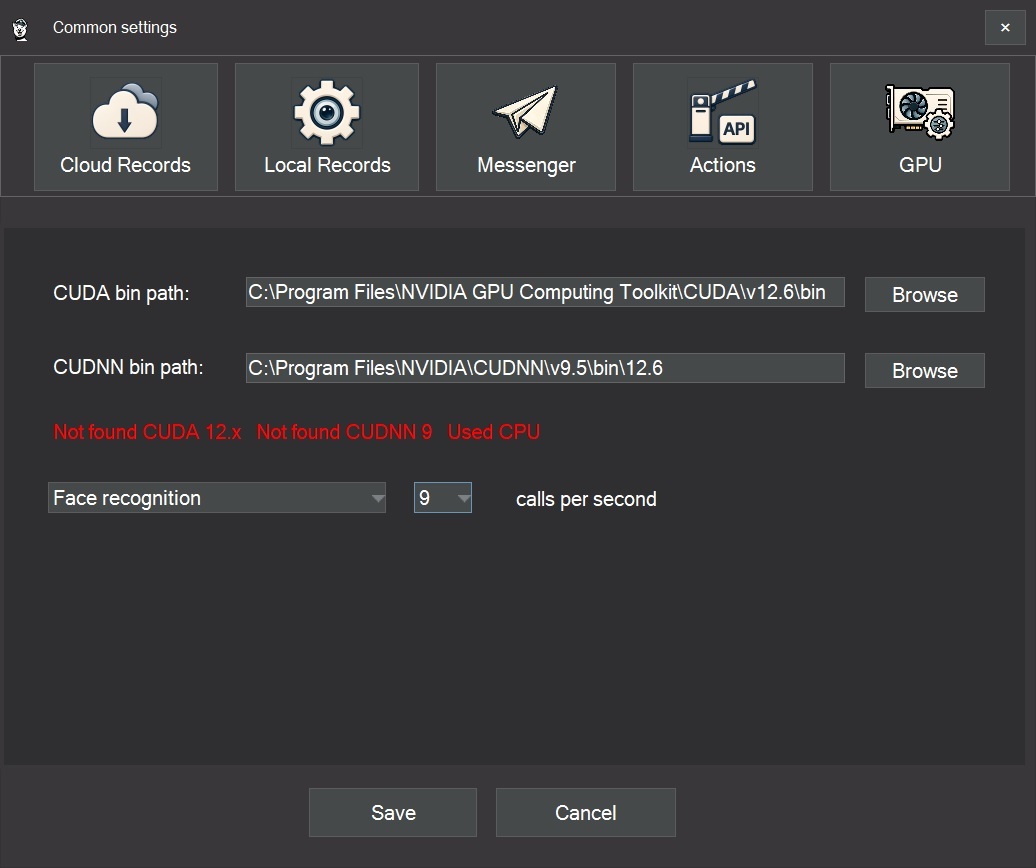
A new GPU tab has been added to the general settings. SmartVision now checks the system configuration, detects the required GPU components, and enables hardware acceleration automatically when possible. If GPU acceleration is not available, the software continues to run on the CPU, keeping compatibility with standard computers and existing installations.
Why GPU Acceleration Matters
Video analytics is computationally intensive. Every video stream consists of frames, and every frame may contain people, faces, vehicles, license plates, motion, smoke, fire, or other events that must be detected and analyzed.
A CPU is well suited for general system tasks: managing the interface, recording video, working with files, handling network connections, and communicating with the database. Neural network recognition, however, relies on a large number of similar mathematical operations. This is exactly where a GPU is more effective, because it can perform many calculations in parallel.
This becomes especially important when several cameras are running at the same time. If a camera sends 25 frames per second but the system can only analyze a small part of them on the CPU, short events may be missed. A person may pass quickly through the frame, a vehicle license plate may appear only briefly, or the first signs of smoke may be visible for just a moment.
GPU acceleration allows SmartVision to analyze more frames per second. This improves practical detection quality because the system has more opportunities to catch important events in real time. The neural network does not become smarter on a single frame, but it can process more visual data within the same time window. In real video surveillance, that difference can be critical.
What Is New in SmartVision 6.1
All recognition modules in SmartVision 6.1 now support GPU processing. With a compatible NVIDIA graphics card and the required acceleration components installed, SmartVision can use the GPU for intelligent video analytics.
GPU acceleration is supported for key recognition tasks, including object detection, face recognition, license plate recognition, smoke and fire detection, and other AI-based video analytics functions.
At the same time, SmartVision remains flexible. If a system does not have an NVIDIA GPU, or if CUDA and cuDNN are not installed, the software will continue to work on the CPU. This allows users to run SmartVision on both standard PCs and more powerful workstations with hardware acceleration.
CUDA 12.6 and cuDNN 9.5
To use GPU acceleration in SmartVision 6.1, the system must have CUDA 12.6 and cuDNN 9.5 for CUDA 12.6 installed.
CUDA is NVIDIA’s computing platform that allows software to use the graphics card not only for displaying images, but also for mathematical calculations. In SmartVision, CUDA gives the video analytics modules access to the computing power of the GPU.
cuDNN is NVIDIA’s library for accelerating neural network operations. It contains optimized functions used in deep learning, including convolution operations, matrix calculations, and other core tasks required for object detection, face recognition, license plate recognition, and similar AI features.
In simple terms, the NVIDIA driver allows Windows to see the graphics card, CUDA allows SmartVision to use it for computing, and cuDNN accelerates neural network recognition. Without CUDA and cuDNN, the GPU may be physically installed in the computer, but GPU acceleration for video analytics will not work.
Automatic GPU Connection
If CUDA 12.6 and cuDNN 9.5 for CUDA 12.6 are already installed, SmartVision 6.1 will detect them and connect GPU acceleration automatically. Users can also manually specify the paths to CUDA modules if needed.
If these components are missing, they must be installed separately. Without CUDA and cuDNN, SmartVision will continue to run video analytics on the CPU, but GPU acceleration will not be available. On systems with many cameras, high-resolution streams, and active recognition modules, this can significantly affect performance.
For correct GPU operation, SmartVision 6.1 requires a compatible NVIDIA graphics card, an up-to-date NVIDIA driver, CUDA Toolkit 12.6, and cuDNN 9.5 for CUDA 12.6.
Practical Benefits
GPU acceleration helps SmartVision process video streams faster and reduces the load on the central processor. This is important when several cameras are used at the same time, especially with high-resolution video and active recognition modules.
The main benefits include faster video stream processing, analysis of more frames per second, lower risk of missing short events, reduced recognition delays, lower CPU load, and more stable operation under heavy workloads.
For small installations, CPU processing may still be sufficient. For larger systems with multiple cameras and active AI analytics, GPU acceleration becomes an important performance factor.
Updated Interface and Localization
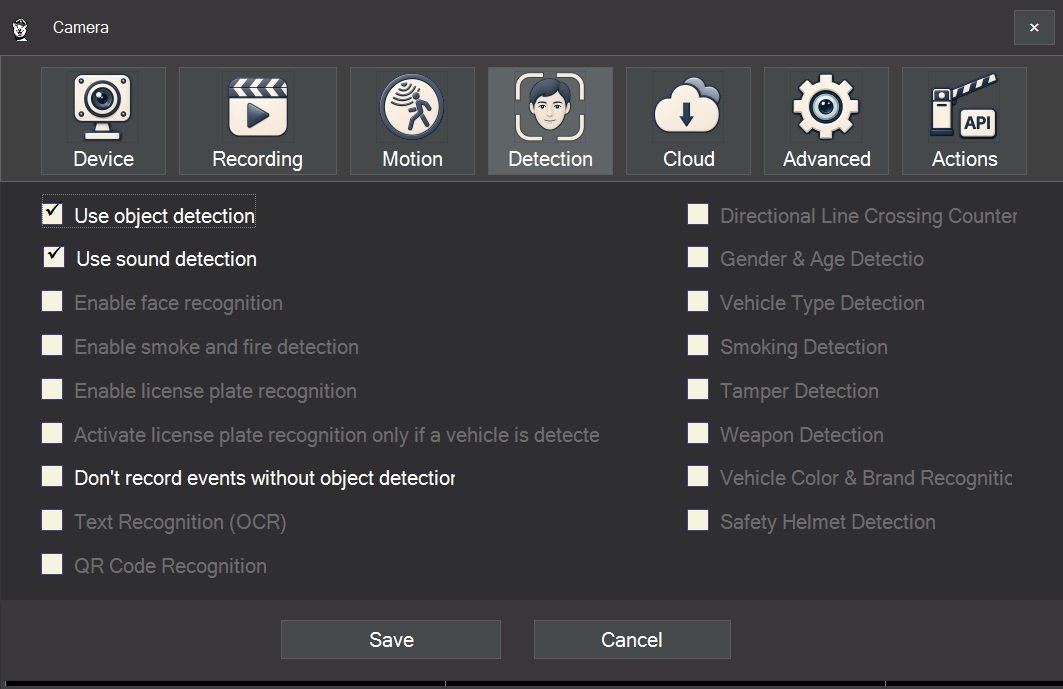
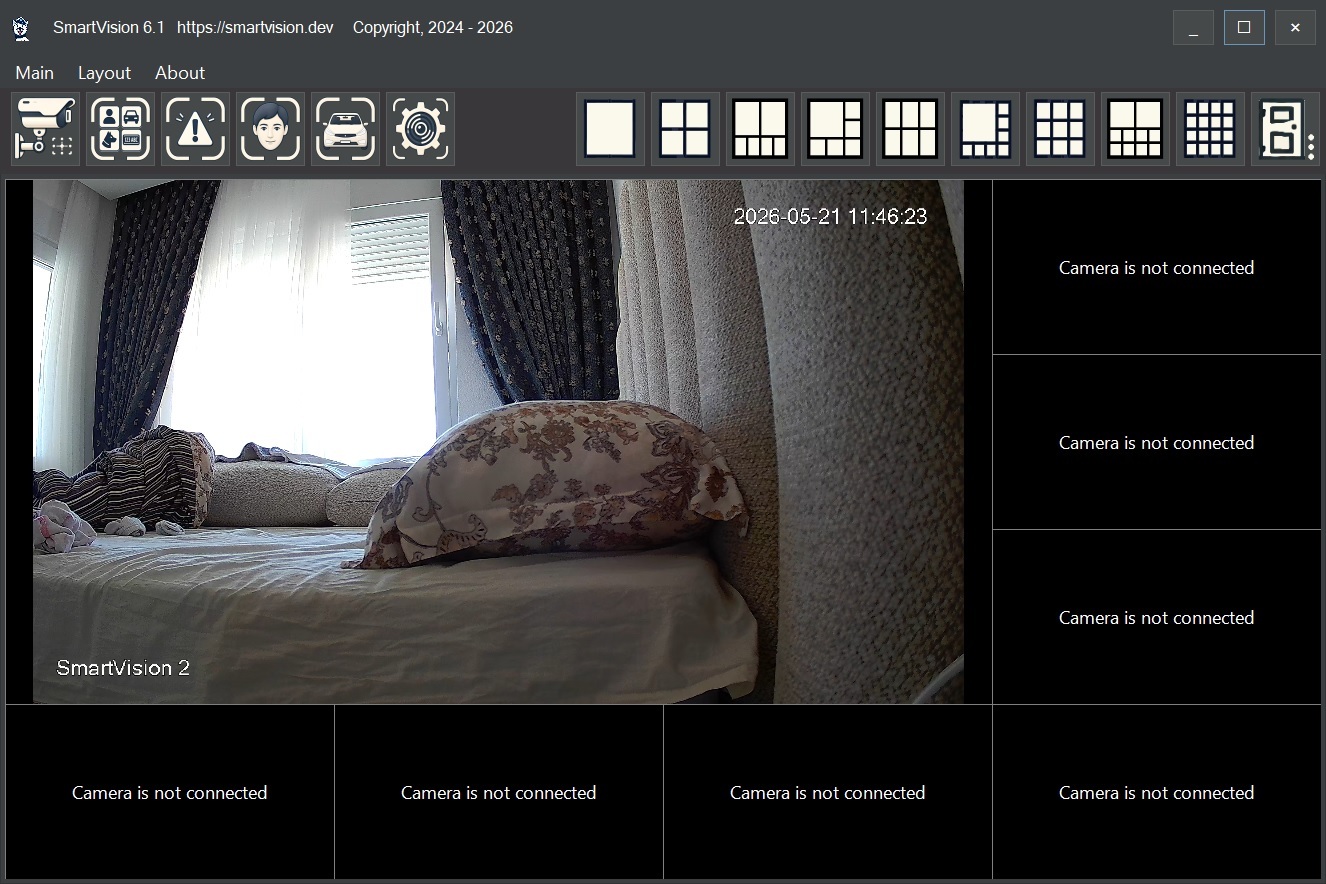
SmartVision 6.1 also introduces an updated interface design. The main application window and camera settings form have been improved for more convenient daily use.
New forms have also been localized into multiple languages, making the software easier to use in international deployments and multilingual environments.
Main program form:
Camera settings